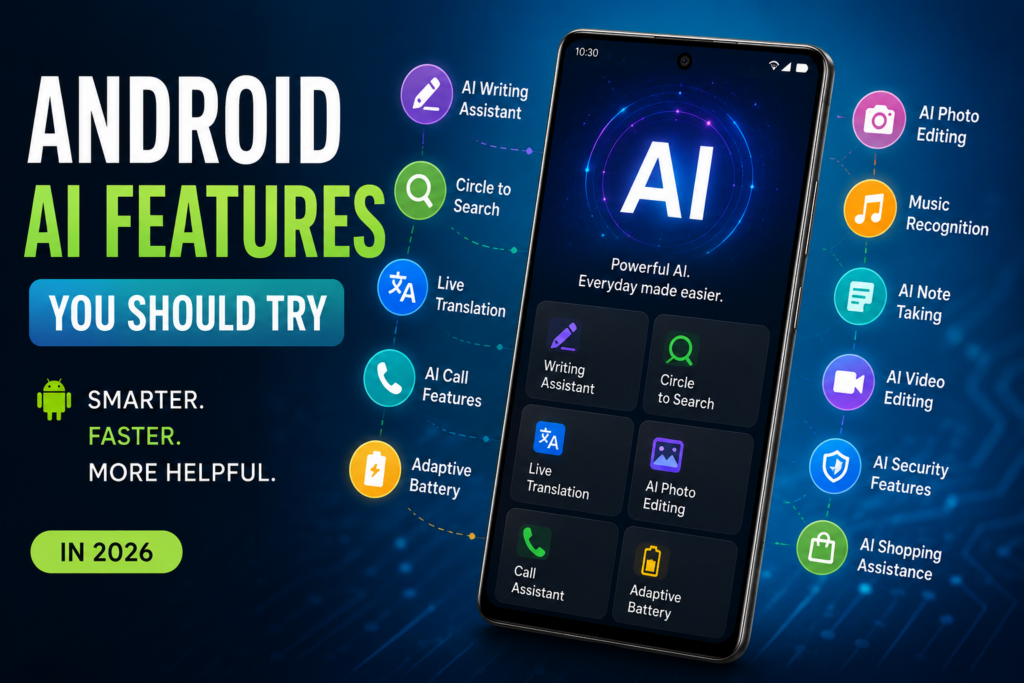
Artificial Intelligence (AI) has become one of the biggest reasons to upgrade to a modern Android smartphone. Whether you’re using a flagship or a mid-range device, AI-powered features are making everyday tasks faster, smarter, and more personalized. From writing emails to editing photos with a tap, Android AI tools can save time and improve productivity.
In this article, we’ll explore the best Android AI features you should try and how they can make your smartphone experience better.
🚀 1. AI Writing Assistant
Modern Android phones now include AI writing tools that help you:
- Write emails
- Generate text messages
- Rewrite sentences
- Correct grammar
- Change writing tone
- Summarize long documents
These tools are especially useful for students, professionals, and content creators.
Why try it?
- Saves time
- Improves writing quality
- Works across many apps
🔍 2. Circle to Search
One of the most useful Android AI features is Circle to Search.
Simply circle any object, image, text, or product on your screen, and AI instantly searches for information without switching apps.
You can use it to:
- Identify products
- Translate text
- Solve math problems
- Learn about landmarks
- Find similar clothing
Perfect for shopping, studying, and quick research.
🎙️ 3. AI Voice Assistant
Android’s AI assistant has become much smarter.
You can now:
- Plan your day
- Set reminders
- Control smart home devices
- Search the web naturally
- Draft messages
- Summarize information
- Perform multiple actions with one request
Instead of giving short commands, you can simply talk naturally.
📸 4. AI Photo Editing
Editing photos no longer requires professional software.
AI can now:
- Remove unwanted objects
- Improve lighting
- Sharpen blurry photos
- Enhance portraits
- Replace backgrounds
- Erase reflections
- Improve low-light images
Many Android devices perform these edits in seconds.
🌐 5. Live Translation
Travelers and multilingual users will love AI-powered translation.
Features include:
- Real-time conversation translation
- Camera translation
- Website translation
- Live captions
- Offline language packs
Communication becomes much easier while traveling or learning new languages.
📞 6. AI Call Features
Android now includes intelligent calling tools such as:
- Spam call detection
- Live call transcription
- Call summaries
- Noise cancellation
- Hold-for-me assistance
- Smart voicemail transcription
These features reduce distractions and save valuable time.
🎵 7. AI Music Recognition
Hear a song playing nearby?
Android AI can instantly identify:
- Song title
- Artist
- Album
- Streaming links
- Lyrics (on supported services)
No need to manually search online.
📝 8. AI Note Taking
Students and professionals benefit from AI-powered note apps.
AI helps by:
- Summarizing meetings
- Organizing notes
- Creating action items
- Generating titles
- Correcting grammar
- Converting speech into text
Perfect for classrooms and business meetings.
🎥 9. AI Video Editing
Editing videos has become much easier with AI.
Popular capabilities include:
- Automatic highlights
- Background music suggestions
- Caption generation
- Object tracking
- Noise reduction
- Color enhancement
- Smart trimming
Ideal for YouTube creators and social media users.
🔋 10. Adaptive Battery Optimization
Android AI learns your daily habits.
It automatically:
- Limits background apps
- Extends battery life
- Optimizes charging
- Predicts battery usage
- Reduces unnecessary power consumption
This helps your phone last longer throughout the day.
🛡️ 11. AI Security Features
Security is becoming smarter with AI.
Modern Android devices offer:
- Scam detection
- Fraud protection
- Malware detection
- App behavior analysis
- Face recognition improvements
- Theft detection
- Smart privacy alerts
These features help keep your personal data safer.
📅 12. AI Productivity Tools
AI can organize your digital life by:
- Managing calendars
- Suggesting reminders
- Prioritizing emails
- Creating schedules
- Summarizing notifications
- Planning travel
Your phone becomes a personal productivity assistant.
🛍️ 13. AI Shopping Assistance
Shopping is easier with Android AI.
You can:
- Compare prices
- Identify products
- Read review summaries
- Find discount offers
- Discover similar products
- Estimate delivery times
A useful companion for online shoppers.
🎨 14. AI Wallpaper & Personalization
Android can personalize your device with AI-generated suggestions.
Features include:
- Smart wallpapers
- Dynamic themes
- Color matching
- Personalized widgets
- Context-aware home screens
Your phone feels more customized to your preferences.
🌟 15. AI Image Generation
Many Android devices now support AI image creation.
You can generate:
- Wallpapers
- Social media graphics
- Digital artwork
- Birthday cards
- Stickers
- Presentation visuals
Simply describe what you want, and AI creates it.
💡 Tips for Getting the Best AI Experience
- Keep Android updated.
- Install the latest versions of your apps.
- Explore AI features in your phone’s settings.
- Review privacy settings for AI-powered services.
- Try voice commands and AI tools regularly to discover new capabilities.
🎯 Conclusion
Android AI features have evolved from simple assistants into powerful tools that help with communication, creativity, productivity, photography, and security. Whether you’re editing photos, translating conversations, summarizing notes, or searching your screen instantly, AI can make everyday smartphone use more efficient and enjoyable.
As Android continues to evolve, even more intelligent features are expected to arrive, making smartphones increasingly capable personal assistants. Exploring these AI tools today can help you get more value from the device you already own.